Computers & Terminals - FoundryVTT Module
A downloadable mod
Turn Foundry VTT journals into shared, interactive terminals: glowing screens, suspicious files, password prompts, and that irresistible urge to open the folder marked PRIVATE.
Build a detective’s workstation, a forgotten bunker terminal, or a research station’s last surviving computer. Fill it with your story.
Any issues with the module? Suggestions? Access the FAQ repo.
Main features
- A shared computer for the whole party. One player takes control while everyone with the computer open follows the action.
- Two operating systems. Explore with VANTAGE’s mouse-and-keyboard menus or type commands in FERRO’s Unix-like shell.
- Files worth snooping through. Organize notes, logs, clues, and questionable memos into folders and shortcuts.
- Doors worth unlocking. Protect the terminal or individual folders with passwords and, in VANTAGE, Fallout-inspired word puzzles.
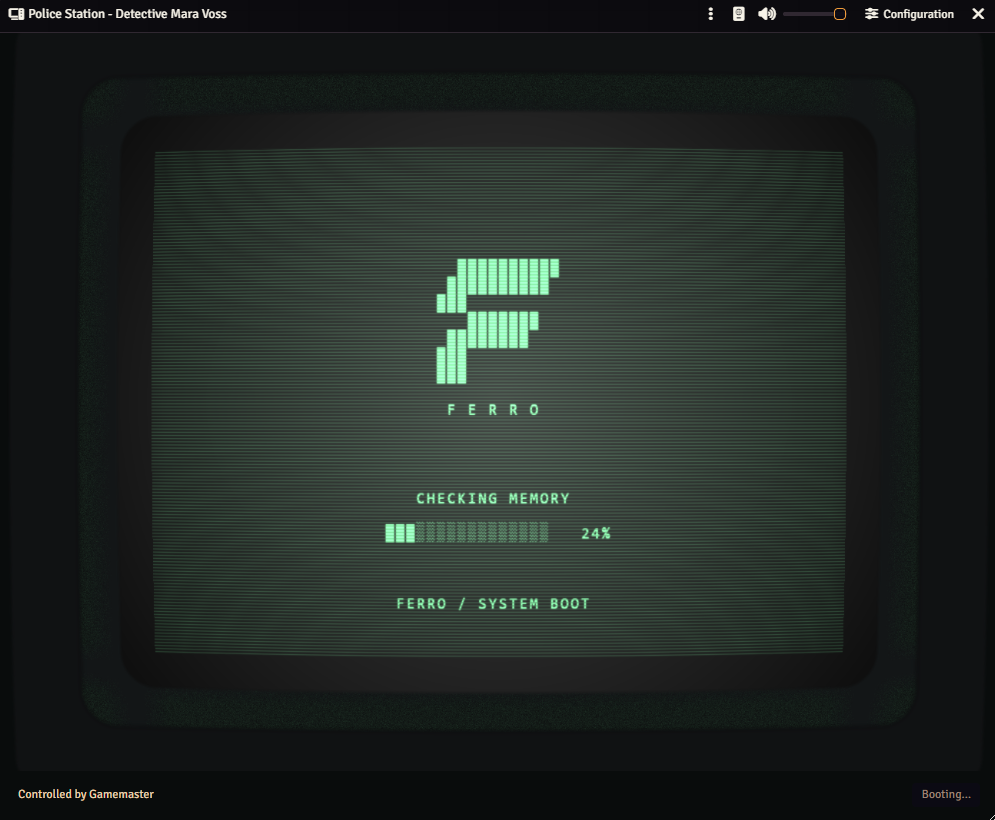
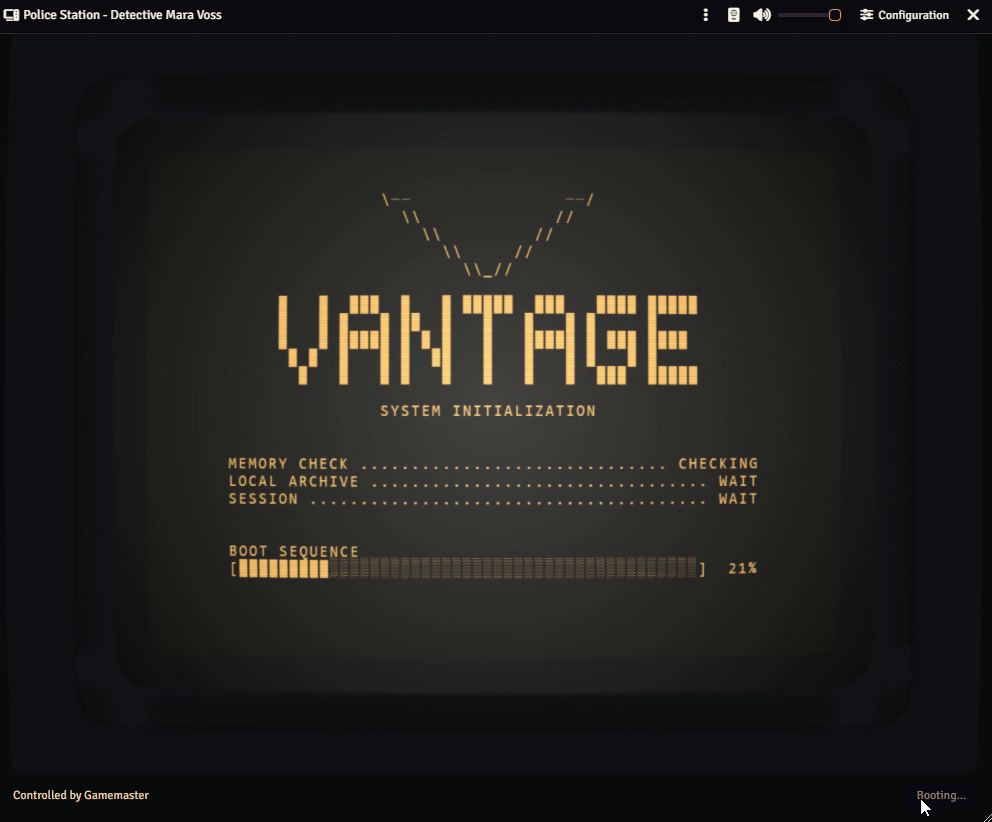
- Proper retro atmosphere. Boot sequences, curved glass, screen glow, typing sounds, and a quiet CRT hum.
- Your own look. Pick green, amber, white, or a custom tint. Adjust the monitor’s shape, lighting, and effects, or go with a flat, screen-only display.
- A volume knob for everyone. Each viewer can adjust or mute their own computer audio.
Contents
- How does it work?
- Get your first computer running
- Pick your operating system
- Create interactive programs
- Customizable monitors
- A few things before you press Enter

How does it work?
One player operates the computer while everyone with it open follows along. Navigation, typing, puzzles, power, and sound are shared. The rest of the party can offer helpful advice. Or shout “TRY PASSWORD AGAIN.”


Get your first computer running
Enable Computers & Terminals 💻 in your world’s Manage Modules.
- As a GM, open the Journal directory and click Create Computer.
- Open Configuration in the computer’s header.
- Choose its look under Monitor and its personality under Operating System.
- In Files & Menu, add files and folders. Write file contents using Foundry’s familiar journal editor.
- Save your configuration and set the computer journal’s ownership: Observer for spectators, Owner for players who may request control.
- Have players open the computer. An Owner clicks Request Control, and a GM approves. Time to investigate.
New computers start powered on with a green CRT and an empty documents folder. Bring your own incriminating evidence.

Pick your operating system
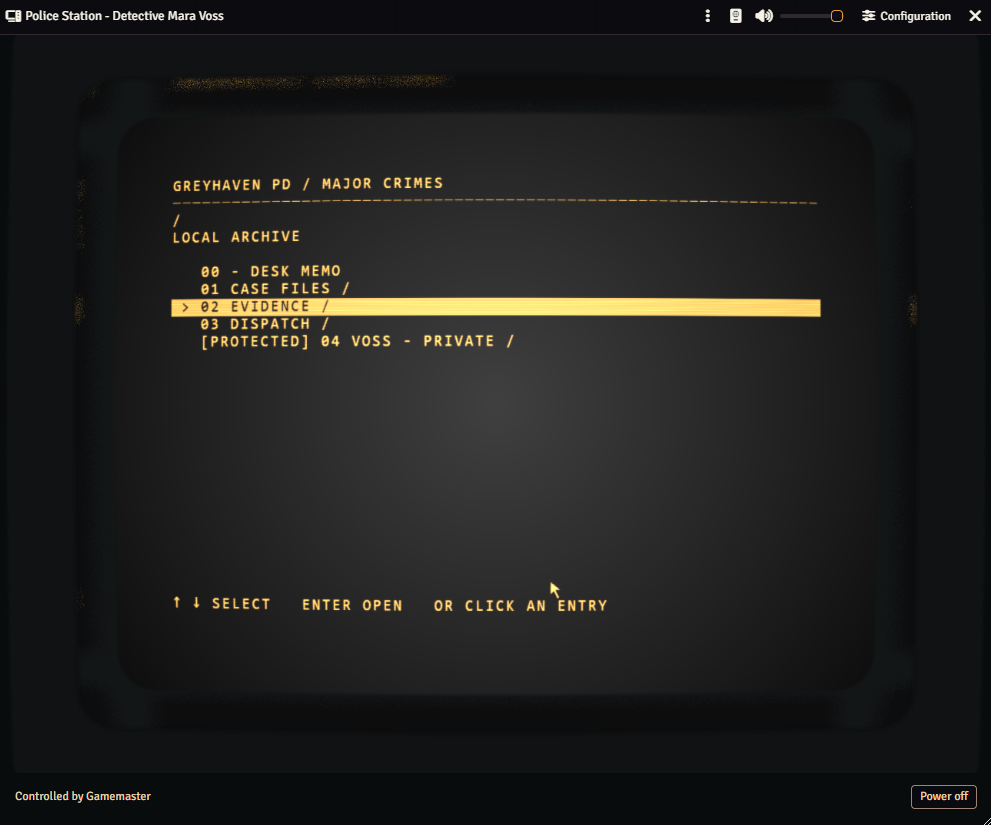
VANTAGE — point, click, uncover secrets
The menu-driven terminal. Browse folders, open files, and follow the clues with the mouse or keyboard. A good fit when you want everyone investigating right away.

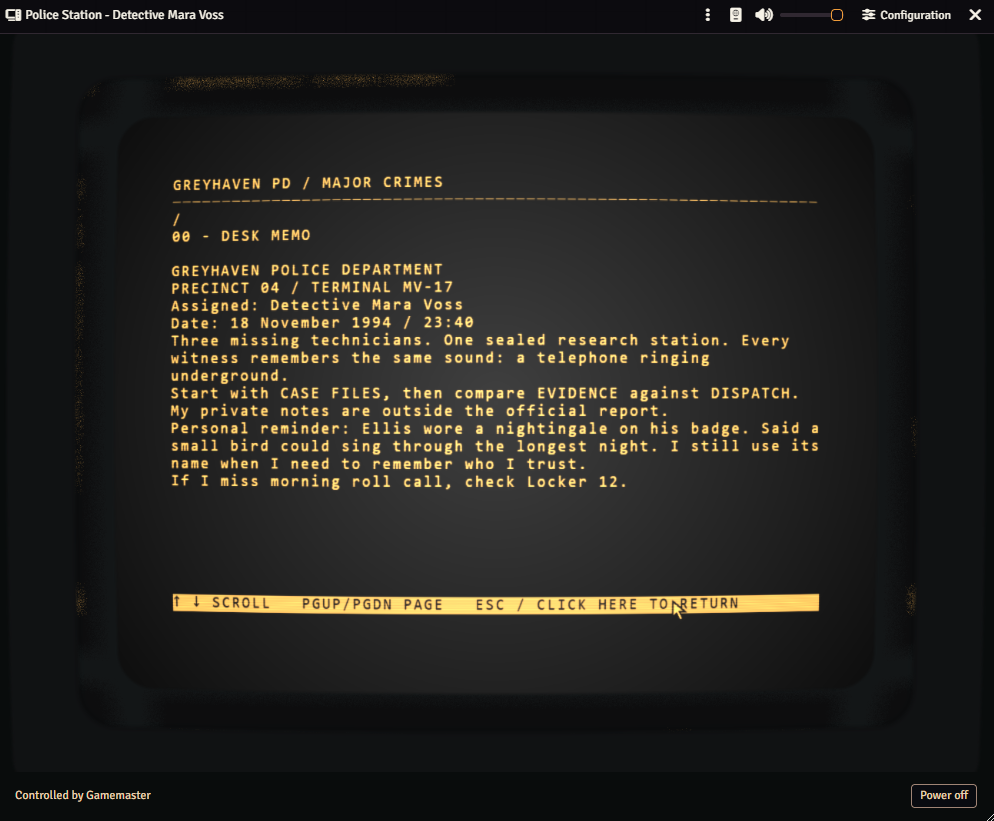
Use arrow keys to navigate, Enter to open, Page Up / Page Down to scroll a file, and Escape to go back. Click outside the display to return to Foundry’s usual keyboard shortcuts.
Open a memo and let the party connect the dots. That oddly specific personal reminder? Surely just office chatter.

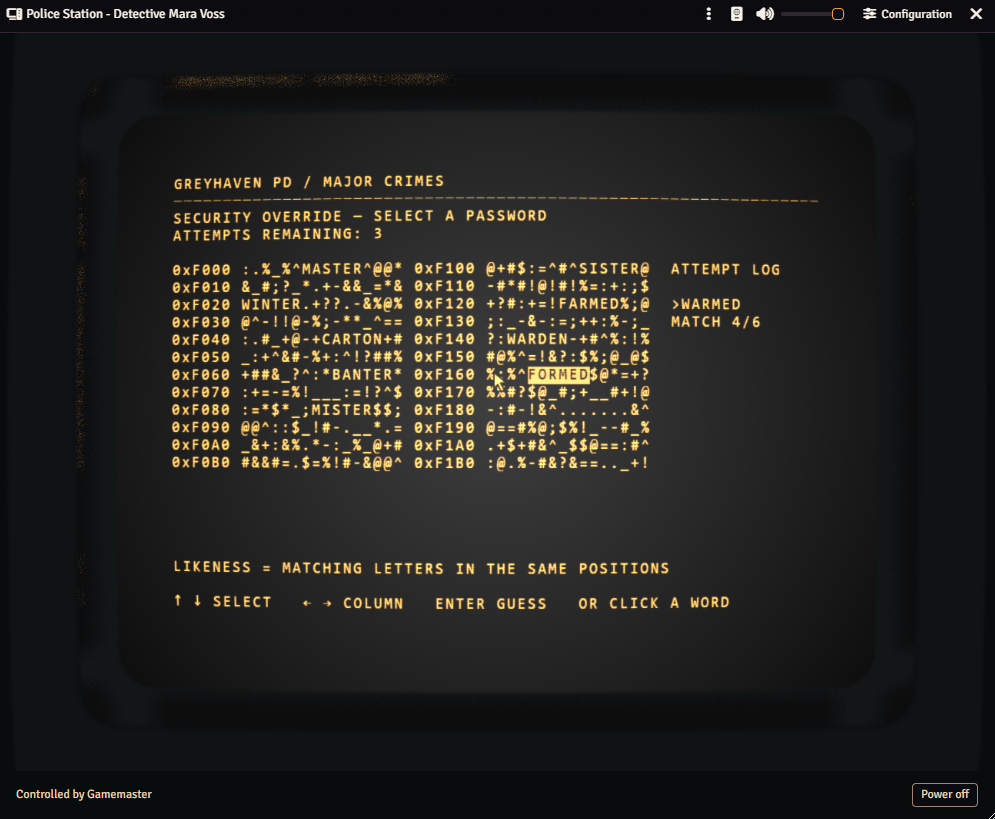
Want a little resistance? Add a password or a word-hacking puzzle. Choose Easy, Standard, or Hard; the module supplies the words and answer. Wrong guesses reveal how many letters match in the correct positions. Optional bracket bonuses remove wrong candidates or restore attempts.

FERRO — for the party’s keyboard enthusiast
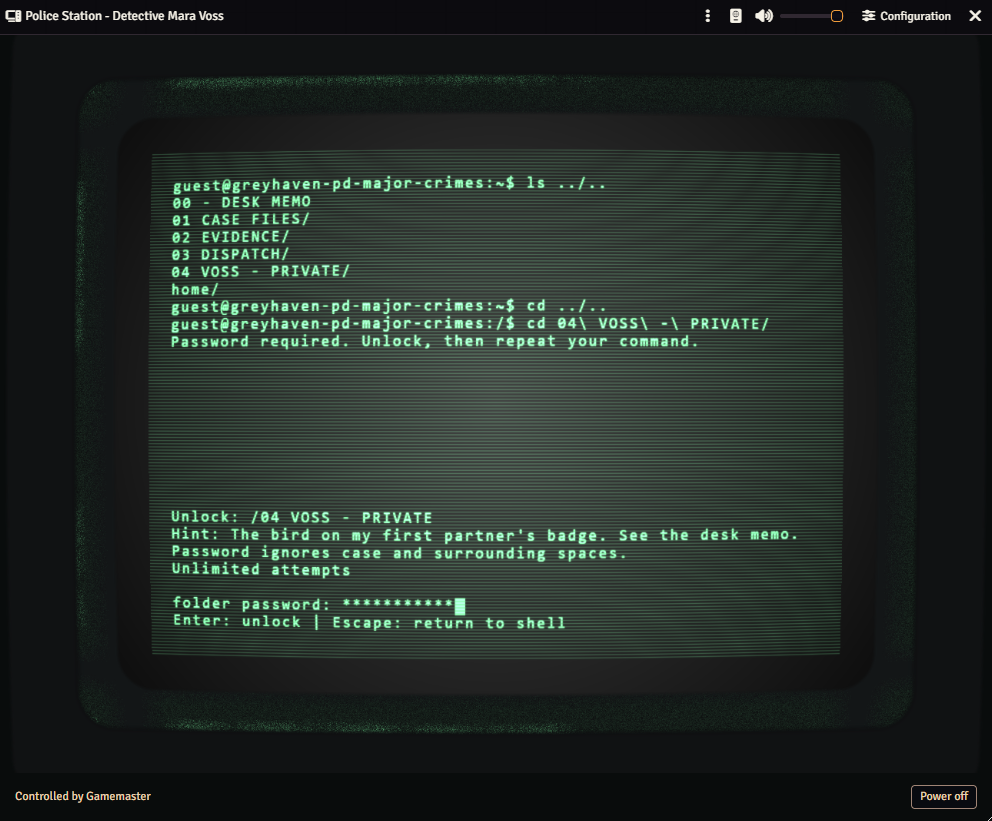
A Unix-like command-line computer with accounts, home folders, password login, and commands for browsing, reading, and searching files. Type help to find your way around.
Let players leave notes or change files by enabling writing for both the computer and their account. GM-created files and folders start protected from changes, so the precious case notes have a fighting chance.
FERRO supports password-protected folders. Word-hacking folders currently require VANTAGE.

Create interactive programs
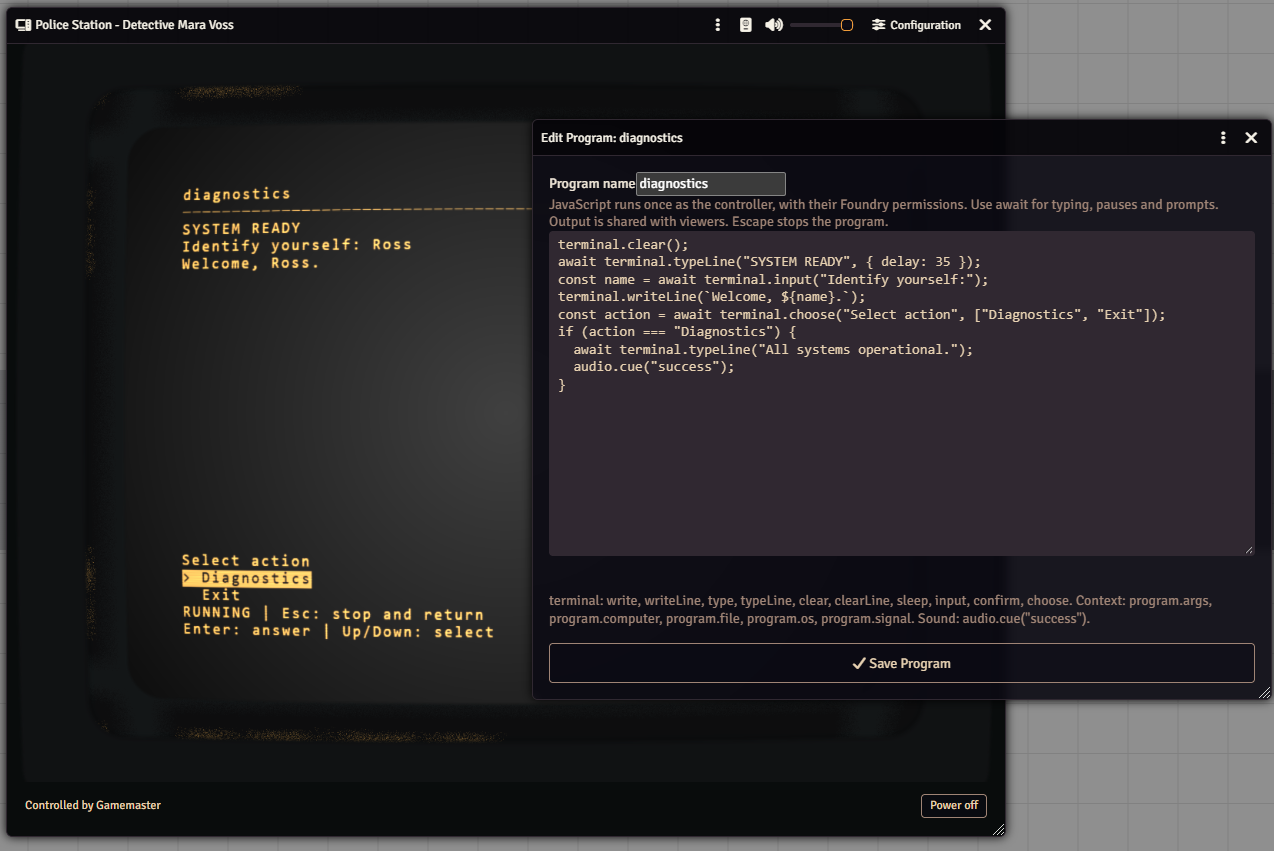
In Configuration → Files & Menu → New Program, write a JavaScript file that players can launch from VANTAGE or FERRO. Programs can print text, reveal it gradually, ask for input or choices, and play shared sounds. The controller runs the script while everyone with the computer open sees its output.

See Program files for launch commands, script helpers, an example, and what happens when a Program stops.
Make it look like it belongs in your world
Go clean and readable, warm and amber, or gloriously battered. Configuration → Monitor lets you choose screen effects, tint, bloom, curvature, and lighting. Use Copy CRT monitor settings to borrow another computer’s look, then save to apply it.
Changing the monitor’s appearance keeps the current session running. No dramatic reboot required.

The CRT also lets you adjust screen proportions, curvature, bezel color and visibility, ambient light, and glare. Here are a few looks you can create:
Green screen, light bezel
A classic green terminal with a light-colored frame and glowing text.

White screen, dark bezel
White phosphor and a dark frame give the same computer a different feel.

Warm amber, flat screen
An amber display for forgotten archives, bunker consoles, and late-night investigations.

For a flat display without a bezel or curvature, choose Screen Only. Tint, screen effects, and bloom remain configurable.
A few things before you press Enter
Who has the keyboard? The footer names the current controller. Only that person operates the computer. GMs can take control directly; player Owners request it. Closing the controller’s window releases control.
Does closing the window turn it off? No. Use the power control to shut it down. Closing a window stops its sounds, but leaves the computer powered on.
Can players beat a lockout by rebooting? Nice try. Failed attempts and lockouts survive power cycling. A GM can use Reset access in the relevant terminal or folder settings to give them another chance.
How long does an unlocked folder stay open? For 30 minutes, shared across the live computer session. Powering off or ending that session closes access sooner.
Do puzzle passwords replace Foundry permissions? No. They’re part of the adventure. Use journal and page permissions to decide who may see the underlying content.
Can I turn down the beeping? Yes. Use the header’s mute and volume controls. Computer sounds also follow Foundry’s Interface volume.
Are the police-station files in the screenshots included? They’re examples of what you can build. New computers start with an empty folder, ready for your own mysteries.
Made by Mad Wizard · Discord: mad.wizard
Purchase
In order to download this mod you must purchase it at or above the minimum price of $9.99 USD. You will get access to the following files:
Comments
Log in with itch.io to leave a comment.
I really wanted to get this, since it would be pretty funny to see my players reaction when they are able to access a "real" PC in my Fallout campaign. Sadly I find it a bit hefty for 9.99 :/
Could be wrong, but I think you increased the price from 6.99 to 9.99 (which is fair, but for myself its to much for such a module)?
Hello! Yes, I was advised in increasing the price because originally it was priced in the same range as a “content module”, when in reality it’s a programmatic module which was much more difficult to build and maintain. The price might come down at promotional events, there might be one in halloween!